

What Is the Ideal TV Stand Width for a 65-Inch Television?
A 65-inch TV typically requires a stand that is at least 55 inches wide, though 60 to 70 inches is the recommended range for optimal stability and aesthetics. Most 65-inch televisions measure approximately 57 to 58 inches across the bezel, so your stand should extend slightly beyond the screen edges to provide a balanced, professional appearance. The width ensures proper weight distribution and prevents the TV from appearing visually top-heavy or unstable in your room. In September 2026, furniture manufacturers have standardized on these dimensions, making it easier to find compatible stands. Proper sizing also improves cable management and reduces the risk of tipping or wobbling during normal use.
Beyond the basic width measurement, you’ll want to consider your room layout, viewing distance, and whether you’re using a wall mount or floor stand. The ideal setup balances visual harmony with functional stability. Many homeowners overlook the importance of proper stand sizing, which can lead to safety concerns and an unpolished living room aesthetic. Understanding these guidelines helps you make an informed purchase that complements your entertainment setup.
Key Takeaway: A 65-inch TV stand should be between 55 and 70 inches wide, with 60 inches being the sweet spot for most living rooms.
What Are the Exact Dimensions of a 65-Inch TV?
Modern 65-inch televisions have consistent width measurements that fall between 57 and 58 inches from edge to edge. The height typically ranges from 32 to 33 inches, while the depth varies from 2 to 4 inches depending on the bezel design and whether it includes a stand. These dimensions refer to the visible screen area and frame, not including any wall-mounting hardware or stand feet. Understanding these measurements is crucial because they directly influence your stand width decision. When shopping for a stand in 2026, always check the manufacturer’s specifications for your specific TV model.
Why Stand Width Matters More Than You Think
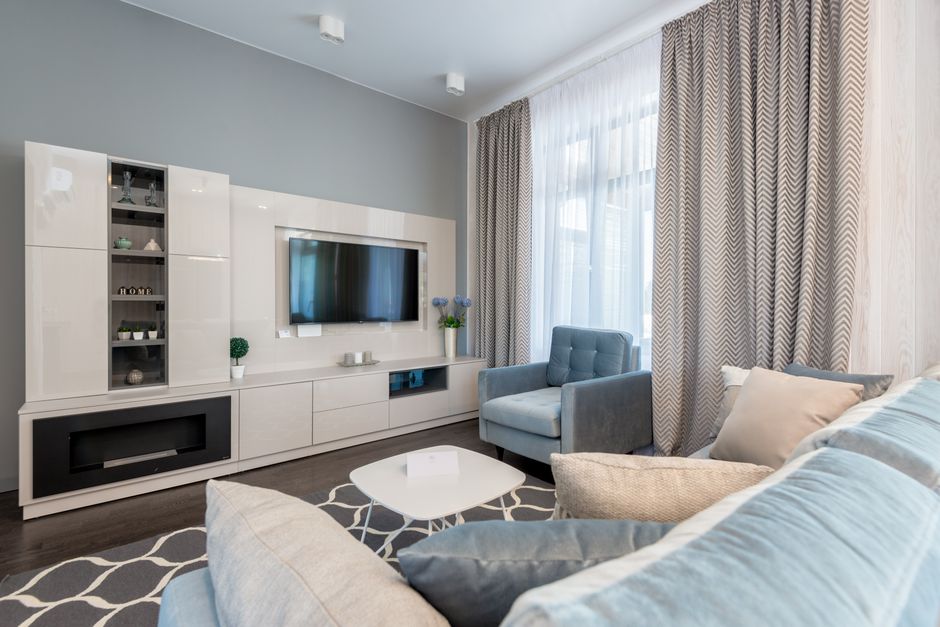
A stand that’s too narrow creates several problems. It looks visually unbalanced, with the TV appearing to float above an undersized base. The narrow footprint also reduces stability, making the TV vulnerable to tipping during earthquakes, bumps, or accidental contact. A stand that extends beyond the TV edges by 1 to 6 inches on each side distributes weight more effectively and anchors the TV securely to your entertainment center.
- Too-narrow stands create visual imbalance and safety risks.
- Proper overhang (1-6 inches per side) improves stability significantly.
- Wider stands accommodate cable management and accessory placement.
- Stand width affects the overall room aesthetic and furniture harmony.
Key Takeaway: Stand width directly impacts both the safety and visual appeal of your TV setup.
How Do You Choose Between Floor Stands and Wall Mounts?
Floor stands offer flexibility and easier installation compared to wall mounts, but they require more floor space and precise width sizing. Wall mounts eliminate the need for a stand entirely, freeing up floor space and allowing you to position your TV at eye level. However, wall mounts require studs or specialized anchors and professional installation in many cases. Your choice depends on your room layout, rental versus owned status, and aesthetic preferences. Both options can work beautifully with a 65-inch TV when properly installed.
Floor Stand Advantages and Considerations
Floor stands provide immediate stability and can be moved or adjusted without tools or wall damage. They’re ideal for renters or anyone who wants flexibility in their setup. The downside is that they consume floor space and require careful width selection to match your TV. Most quality floor stands designed for 65-inch TVs range from 55 to 70 inches wide.
- No wall installation required; move your TV easily.
- Available in various styles to match your décor.
- Width range of 55-70 inches accommodates most 65-inch models.
- Requires floor space and careful placement planning.
- May include shelves for soundbars, cable boxes, or gaming consoles.
Wall Mount Advantages and Considerations
Wall mounts create a sleek, modern look and save valuable floor space. They’re especially useful in smaller rooms where every square foot matters. Installation requires finding wall studs or using heavy-duty anchors, and you’ll need to plan cable routing carefully. Once mounted, adjustments are minimal, so placement decisions must be final. Wall mounts are ideal for permanent setups and rooms with limited floor space.
- Saves significant floor space in compact rooms.
- Creates a clean, modern aesthetic.
- Requires professional installation or wall studs.
- Cable management needs planning before installation.
- Best for permanent setups; repositioning is difficult.
Key Takeaway: Choose floor stands for flexibility and wall mounts for space savings and modern aesthetics.
What Spacing and Clearance Do You Need Around Your TV Stand?
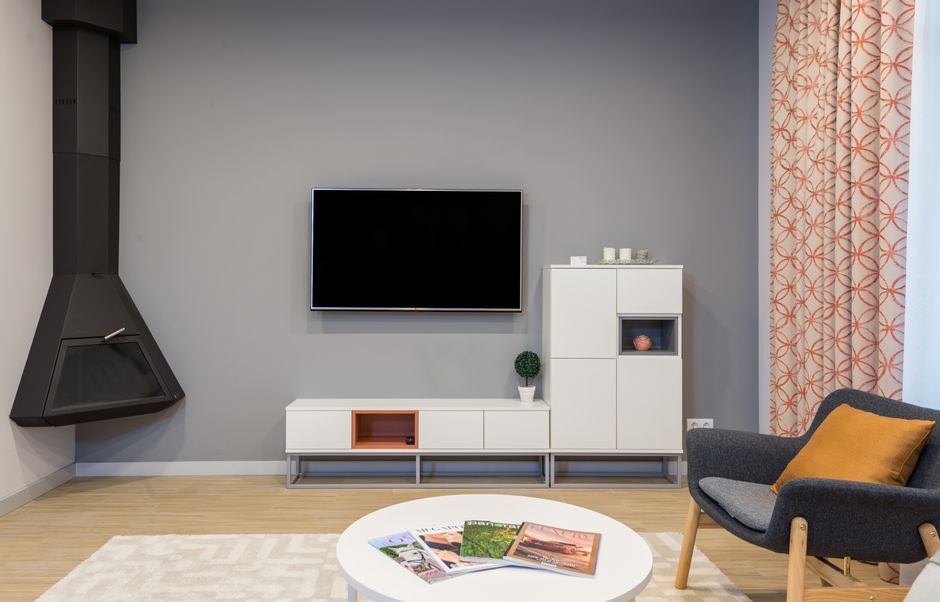
Beyond stand width, you’ll want to ensure adequate clearance on all sides of your TV for ventilation and safety. Leave at least 2 to 3 inches of space on each side of the TV for airflow, which prevents overheating and extends the TV’s lifespan. The back of the TV should have 4 to 6 inches of clearance for cable connections and ventilation. Above the TV, maintain at least 12 inches of clear space to avoid heat buildup from ceiling-mounted fixtures or shelving. These spacing guidelines apply whether you’re using a floor stand or wall mount.
Ventilation and Heat Management
Modern 65-inch TVs generate heat during operation, and improper ventilation can damage internal components. Ensure your stand doesn’t trap heat around the TV’s back panel. If your stand has a back panel or enclosure, verify it has ventilation holes. Avoid placing the TV in direct sunlight or near heating vents, as temperature extremes reduce lifespan and picture quality. Proper spacing is an investment in your TV’s longevity.
- 2-3 inches of side clearance prevents lateral heat buildup.
- 4-6 inches of rear clearance ensures proper ventilation.
- 12 inches above the TV prevents ceiling-related heat issues.
- Avoid direct sunlight and heating vents near the TV.
- Check manufacturer guidelines for your specific model.
Key Takeaway: Proper spacing around your TV stand ensures longevity and prevents heat-related damage.
How Do Cable Management and Accessories Affect Stand Width?
A wider stand provides better cable management options and space for accessories like soundbars, gaming consoles, or streaming devices. Stands in the 60 to 70-inch range typically include shelves or cable routing channels designed to keep your setup organized. If you’re planning to place a soundbar beneath your TV, ensure your stand width accommodates the soundbar without overhang. Many modern soundbars range from 40 to 50 inches wide, so a 60-inch stand provides comfortable clearance. Consider your accessory needs when selecting stand width to avoid cramped or cluttered setups.
Soundbar Placement and Stand Width
Placing a soundbar on your TV stand requires careful width planning. A quality soundbar typically measures 36 to 50 inches wide, depending on the model. Your stand should be at least 5 to 10 inches wider than your soundbar to prevent overhang and ensure stability. If your stand is 60 inches wide, you can comfortably accommodate most soundbars with proper spacing. Some stands include dedicated soundbar shelves or mounting brackets, which simplifies placement and improves aesthetics.
- Soundbars typically range from 36 to 50 inches wide.
- Stand width should exceed soundbar width by 5-10 inches.
- Dedicated soundbar shelves improve organization and appearance.
- Cable routing channels keep wires hidden and organized.
- Consider future accessory additions when choosing stand width.
Key Takeaway: A wider stand accommodates soundbars, gaming devices, and proper cable management.
What Are the Best Practices for Measuring Your Space?
Before purchasing a TV stand, measure your entertainment center or wall space carefully. Use a measuring tape to determine the exact width available for your stand, accounting for any adjacent furniture, doorways, or architectural features. Mark the center point of your TV’s intended location, then measure outward to determine the maximum stand width that fits your space. Consider traffic flow and whether the stand blocks walkways or creates safety hazards. Document your measurements and take photos of your space to reference while shopping.
Step-by-Step Measurement Guide
Accurate measurements prevent costly mistakes and ensure your new stand fits perfectly. Start by clearing your entertainment area and measuring the full width of available space. Document any obstacles like outlets, light switches, or architectural features that might affect placement. Measure the height from the floor to eye level when seated to determine optimal TV height. These measurements guide your stand selection and installation planning.
- Measure the full width of your entertainment area in inches.
- Account for doorways, windows, and adjacent furniture.
- Mark the center point where your TV will be positioned.
- Measure from floor to eye level for optimal TV height (typically 42-60 inches).
- Document outlet and cable locations for planning purposes.
- Take photos of your space from multiple angles.
- Note any architectural features that might affect stand placement.
Key Takeaway: Precise measurements ensure your TV stand fits perfectly and functions safely in your space.
How Does Room Size Influence Your TV Stand Width Decision?
Your room’s dimensions significantly impact the ideal stand width and TV placement. In smaller rooms (under 150 square feet), a 55 to 60-inch stand balances visibility with space constraints. Medium rooms (150-300 square feet) benefit from 60 to 65-inch stands that provide stability and visual balance. Larger rooms (over 300 square feet) can accommodate 65 to 70-inch stands without overwhelming the space. Consider your viewing distance as well; the general rule is to sit at a distance equal to 1.5 to 2.5 times the TV’s diagonal screen size. A 65-inch TV is best viewed from 8 to 13 feet away, which helps determine optimal placement and stand sizing.
Small Room Considerations
In compact spaces, every inch counts. A narrower stand (55-58 inches) maximizes floor space while still providing adequate support for your 65-inch TV. Wall mounting becomes increasingly attractive in small rooms, as it eliminates floor clutter entirely. If you choose a floor stand, select one with an open design that doesn’t block sightlines or create visual heaviness. Pair your stand with the spacing and furniture arrangement guide we discussed earlier to optimize your layout.
Key Takeaway: Room size and viewing distance guide your stand width selection and overall TV placement strategy.
What Safety Considerations Should You Keep in Mind?
TV stand safety is critical, especially in homes with children or pets. A properly sized stand reduces tipping risk significantly. The stand’s base should be heavy and wide enough to support the TV’s weight without wobbling. Most quality stands are designed to support 65-inch TVs weighing 40 to 80 pounds, but always verify weight capacity before purchasing. Secure the TV to the stand using the provided mounting brackets and hardware, and consider wall anchoring if you have young children or live in earthquake-prone areas. Never rely on the stand alone to prevent tipping.
- Verify the stand’s weight capacity matches your TV’s weight.
- Use all provided mounting brackets and hardware.
- Ensure the stand base is stable and level on your floor.
- Avoid placing the stand on uneven or soft surfaces.
- Consider wall anchoring in homes with children or pets.
- Test stability by gently pushing the TV from different angles.
- Keep the stand away from high-traffic areas where it might be bumped.
Key Takeaway: Proper stand sizing and secure installation are essential for TV safety and longevity.
How Do You Maintain and Care for Your TV Stand?
Regular maintenance extends your TV stand’s lifespan and keeps your setup looking polished. Dust your stand weekly using a soft, dry cloth to prevent buildup on surfaces and cable management areas. Check mounting bolts and brackets monthly to ensure they remain tight and secure. If your stand has shelves, organize cables and accessories to prevent clutter and maintain proper airflow. Avoid placing heavy objects on the stand beyond your TV and approved accessories, as this can compromise stability. Clean your stand’s finish according to the manufacturer’s instructions, using appropriate cleaners for wood, metal, or glass surfaces.
- Dust weekly with a soft, dry cloth.
- Check bolts and brackets monthly for tightness.
- Organize cables and accessories to maintain airflow.
- Avoid overloading the stand with unauthorized items.
- Use manufacturer-approved cleaning products.
- Inspect the stand for damage or wear annually.
Key Takeaway: Regular maintenance keeps your TV stand safe, stable, and visually appealing for years.
What Are Common TV Stand Width Mistakes to Avoid?
Many homeowners make sizing errors that compromise both safety and aesthetics. Choosing a stand that’s too narrow is the most common mistake, creating visual imbalance and stability concerns. Conversely, an oversized stand can overwhelm your room and look disproportionate. Another frequent error is ignoring cable management needs, leading to a cluttered appearance. Some people fail to account for soundbar or accessory placement, resulting in cramped setups. Finally, neglecting to verify weight capacity can lead to dangerous situations. Learning from these mistakes helps you make a confident, informed purchase decision.
- Stands under 55 inches create instability and visual imbalance.
- Stands over 70 inches may overwhelm your room.
- Ignoring cable management leads to cluttered appearances.
- Failing to account for soundbars causes cramped layouts.
- Skipping weight capacity verification creates safety hazards.
- Not measuring your space results in poor fit and buyer’s remorse.
Key Takeaway: Avoid common sizing mistakes by measuring carefully and considering all your setup needs before purchasing.
Conclusion: Finding the Perfect TV Stand Width for Your 65-Inch Television
Selecting the right TV stand width for your 65-inch television involves balancing safety, aesthetics, and functionality. A stand between 55 and 70 inches wide, with 60 inches as the ideal middle ground, accommodates your TV securely while providing space for cables, soundbars, and accessories. Your specific choice depends on your room size, available space, viewing distance, and whether you’re using a floor stand or wall mount. Measure your space carefully, verify weight capacity, and consider future accessory needs before making your purchase. By following these guidelines and avoiding common mistakes, you’ll create a professional, stable, and visually balanced entertainment setup that enhances your living room for years to come. Remember that proper spacing, ventilation, and maintenance are just as important as stand width for ensuring your TV’s longevity and your family’s safety.
Frequently Asked Questions
What is the minimum width for a 65-inch TV stand?
The minimum recommended width is 55 inches, though this is the lower threshold. Most manufacturers suggest at least 60 inches for optimal stability and aesthetics. A stand narrower than 55 inches creates visual imbalance and reduces stability. Check your TV’s exact dimensions before purchasing, as some models vary slightly. When in doubt, choose a wider stand rather than risk safety or appearance issues.
Can I use a 50-inch TV stand for a 65-inch television?
No, a 50-inch stand is too narrow and unsafe for a 65-inch TV. Your TV will overhang the stand edges significantly, creating serious tipping hazards. The narrow base cannot properly distribute the TV’s weight, which typically ranges from 40 to 80 pounds. For safety and aesthetic reasons, always use a stand specifically designed for your TV size. Undersized stands are a leading cause of TV tipping injuries.
How much overhang is acceptable on a TV stand?
An overhang of 1 to 6 inches on each side is acceptable and provides visual balance. This means your stand should be 58 to 70 inches wide for a typical 65-inch TV measuring 57 inches across. Overhang beyond 6 inches per side looks disproportionate and may compromise stability. The ideal overhang is 2 to 4 inches, creating a professional, balanced appearance. Always verify your specific TV’s width before calculating acceptable overhang.
Should my TV stand be wider than my soundbar?
Yes, your stand should be 5 to 10 inches wider than your soundbar for proper support and aesthetics. If your soundbar is 48 inches wide, aim for a 55 to 60-inch stand minimum. This spacing prevents the soundbar from overhanging the stand edges and improves visual balance. Many modern stands include dedicated soundbar shelves or brackets that simplify placement. Proper spacing also facilitates cable management and prevents accidental bumping.
Is wall mounting better than a floor stand for a 65-inch TV?
Wall mounting and floor stands each have advantages depending on your situation. Wall mounts save floor space and create a modern aesthetic, making them ideal for small rooms. Floor stands offer flexibility, easier installation, and the ability to move your TV without wall damage. Wall mounts require professional installation and wall studs, while floor stands need careful width selection. Choose based on your room size, rental status, and aesthetic preferences. Both options work excellently when properly installed.
How high should my TV stand be positioned?
Position your TV so the center of the screen is at eye level when seated, typically 42 to 60 inches from the floor. This reduces neck strain and improves viewing comfort. Measure from your seated eye level to determine the ideal TV center height. Most TV stands are adjustable or available in various heights to accommodate different room layouts. Proper height is just as important as stand width for creating a comfortable, ergonomic viewing experience.



Write Your Review
No reviews yet. Be the first to share your experience!