

What Are 3D Configurators and Why Use Them for Custom Sofas?
Quick Answer: 3D configurators are interactive digital tools that let you design custom sofas in real-time by selecting fabrics, colors, dimensions, and frame styles. In June 2026, these tools have become essential for furniture shopping because they eliminate guesswork, reduce returns, and help you visualize your exact sofa before purchase. Most major furniture retailers now offer configurators powered by advanced rendering technology. You can rotate, zoom, and view sofas in different lighting conditions. This technology saves time and money while ensuring your custom sofa matches your vision perfectly.
The furniture industry has transformed dramatically since 2024. 3D configurators now feature artificial intelligence that suggests color combinations based on your room’s style. These tools integrate with augmented reality, allowing you to place your configured sofa directly into your space using your smartphone or tablet. Major brands like Article, West Elm, and custom sofa specialists have invested heavily in this technology. The configurators work seamlessly across devices—desktop, tablet, and mobile. They’ve become the industry standard for high-end and mid-range custom furniture.
Key Takeaway: 3D configurators are interactive design tools that transform how you buy custom sofas by providing visual certainty before purchase.
How Do You Access and Navigate a 3D Sofa Configurator?
Finding and opening a 3D configurator is straightforward on most modern furniture websites. Visit your chosen retailer’s product page for custom sofas. Look for a button labeled “Design Your Sofa,” “3D Configurator,” “Build & Customize,” or “Interactive Designer.” Click this button to launch the tool. Most configurators load directly in your web browser without requiring additional software installation. Mobile users can access them through apps or responsive web versions. The interface typically appears within 5-10 seconds on a standard internet connection.
Navigation relies on intuitive controls designed for all users, regardless of technical skill. Use your mouse or touchpad to rotate the sofa 360 degrees. Scroll to zoom in and out for detailed inspection. On mobile devices, swipe and pinch gestures control rotation and zoom. Menus appear on the left, right, or top of the screen depending on the brand’s design. Most configurators include a “Help” or “Tutorial” button for first-time users. The layout mimics video game interfaces, making it familiar to most people.
- Click the “Design Your Sofa” button on the product page.
- Wait for the 3D model to load in your browser.
- Use mouse or touch gestures to rotate and zoom the sofa.
- Access customization menus from the sidebar or top menu bar.
- Save your design to your account or share it with others.
Key Takeaway: Accessing a 3D configurator requires finding the design tool on the retailer’s website and using intuitive mouse or touch controls to navigate.
What Customization Options Are Available in Modern 3D Configurators?
Modern 3D configurators offer hundreds of customization combinations. The primary options include fabric selection, color choices, frame dimensions, and structural features. Most tools display 50-200+ fabric options ranging from budget-friendly microfiber to luxury leather and performance fabrics. Each fabric shows realistic texture mapping so you see exactly how it looks in different lighting. You can filter fabrics by price, durability, care requirements, and style category. Premium configurators include fabric samples you can order physically before finalizing your purchase.
Dimensional customization allows you to adjust sofa width, depth, seat height, and arm style. Most configurators let you choose between three to eight width options, typically ranging from 72 inches to 108 inches. Depth adjustments usually span 30-40 inches depending on the model. Arm heights, leg styles, and cushion firmness can be modified independently. Advanced tools let you configure individual seat cushions, add chaise lounges, or create sectional arrangements. Some brands offer lumbar support customization and headrest options for maximum comfort personalization.
- Fabric selection: 50-200+ options with realistic texture and color accuracy.
- Dimensions: Adjust width, depth, seat height, and arm styles independently.
- Frame materials: Choose hardwood, engineered wood, or metal frames.
- Cushion options: Select firmness levels, fill materials, and configurations.
- Leg styles: Pick from modern, traditional, or mid-century designs.
- Add-ons: Include USB ports, cup holders, storage, or recliners.
Key Takeaway: Modern 3D configurators provide extensive customization across fabrics, dimensions, frame materials, cushion options, and specialty features.
How Do You Choose the Right Fabric and Color for Your Custom Sofa?
Selecting fabric is the most important customization decision because it affects durability, maintenance, and aesthetic appeal. Start by considering your lifestyle. High-traffic homes with children or pets benefit from performance fabrics like Crypton or Sunbrella, which resist stains and odors. If you have pets, choose darker colors and tightly woven fabrics that hide fur and wear patterns. Light-colored fabrics work best in formal living rooms with minimal use. Most configurators let you filter fabrics by performance rating and care difficulty.
Color selection should complement your existing décor and lighting conditions. 3D configurators display colors under different lighting scenarios—daylight, warm artificial light, and cool artificial light. Test your color choice under all three conditions before deciding. Neutral colors like gray, beige, and navy offer versatility and longevity. Bold colors make statements but may feel dated in five years. Consider accent pillows and throws for color flexibility without replacing the entire sofa. Many configurators show your sofa in a room preview, helping you visualize the final result in context.
Texture adds visual interest and affects how the sofa feels. Smooth fabrics like microsuede and leather feel luxurious but show dust and fingerprints easily. Textured fabrics like linen, chenille, and boucle hide imperfections and add warmth. Leather requires regular conditioning but ages beautifully. Vegan leather provides durability without animal products. Performance fabrics combine durability with modern aesthetics. Request physical fabric samples from the retailer to confirm color and texture accuracy before finalizing your order.
Key Takeaway: Choose fabric based on lifestyle needs, test colors under different lighting, and request physical samples to confirm your selection.
How Can You Visualize Your Custom Sofa in Your Actual Room?
Visualizing your custom sofa in your actual space is crucial for ensuring it fits and matches your décor. Many 3D configurators now integrate augmented reality (AR) technology that places your sofa into your room using your smartphone camera. To use this feature, access the configurator on your mobile device, complete your customization, and look for an “AR View” or “View in Your Room” button. Point your phone’s camera at your floor space, and the virtual sofa appears in real-time. Move around the sofa to see it from different angles. This technology eliminates the need for guesswork about scale and proportion.
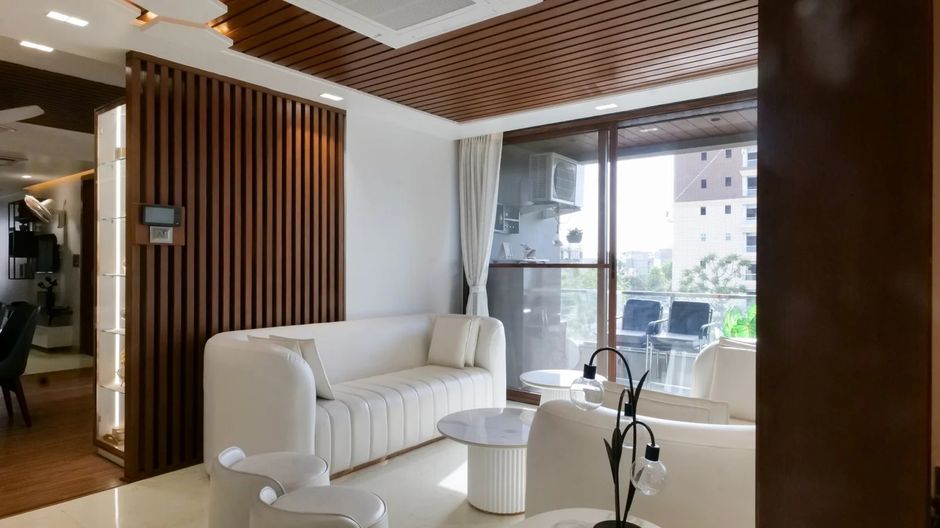
If your configurator doesn’t have AR, use alternative visualization methods. Take a photo of your room and use a photo editing app to overlay your configured sofa image. Measure your room’s dimensions and compare them to the sofa’s specifications. Use furniture planning software like Floorplanner or RoomSketcher to create a scale model of your space. Many retailers provide 3D room planning tools on their websites. These methods help ensure your custom sofa fits your space perfectly. Always account for doorways, hallways, and furniture arrangement when measuring.
- Use AR features in the configurator to place your sofa in your actual room.
- Take photos of your space and overlay the sofa image digitally.
- Measure your room and compare dimensions to the sofa specifications.
- Use furniture planning software to create a scale floor plan.
- Check doorway and hallway widths to ensure delivery is possible.
- Consider traffic flow and how the sofa impacts room layout.
Key Takeaway: Use AR features, photo overlays, and measurement tools to visualize your custom sofa in your actual room before purchase.
What Are the Best Practices for Saving and Sharing Your Sofa Design?
Most 3D configurators allow you to save your design to your account for future reference. Click the “Save Design” button after customizing your sofa. Name your design something descriptive like “Living Room Gray Sectional” for easy identification. The system saves your exact specifications including fabric, color, dimensions, and add-ons. You can return to your saved design anytime to review, modify, or purchase. This feature is invaluable if you need time to decide or want to compare multiple design variations.
Sharing your design with family members or interior designers streamlines the decision-making process. Most configurators generate a unique URL or shareable link for your design. Copy this link and send it via email or messaging apps. Recipients can view your design in 3D without needing to recreate it. Some tools allow collaborators to suggest modifications or leave comments. This collaborative feature is particularly useful when designing with a partner or consulting a professional designer. Screenshots and video recordings of your design also work well for sharing across social media or messaging platforms.
Before finalizing your purchase, review your saved design one final time. Verify all specifications including fabric type, color, dimensions, and add-ons. Check that the price matches your budget. Confirm delivery timelines and return policies. Many retailers offer design consultations with specialists who review your configuration and provide recommendations. Take advantage of these services to ensure your custom sofa meets all your needs and expectations.
Key Takeaway: Save your design to your account and use shareable links to collaborate with family or designers before purchasing.
How Do You Compare Multiple Sofa Designs Using 3D Configurators?
Comparing multiple sofa designs helps you make the best choice for your space and budget. Most configurators allow you to create and save multiple designs within your account. Design several variations with different fabrics, colors, and dimensions. Name each design clearly to distinguish between options. Open designs side-by-side by using multiple browser tabs or windows. This method lets you compare prices, specifications, and visual appearance simultaneously. Take screenshots of each design for easy reference and offline comparison.
Create a comparison spreadsheet with key specifications for each design option. Include columns for fabric type, color, width, depth, price, delivery time, and warranty information. This systematic approach helps identify which design best meets your needs and budget constraints. Consider long-term value rather than just initial cost. A more expensive performance fabric may cost less over time due to durability and easy maintenance. Review customer reviews for each sofa model to understand real-world performance and satisfaction rates.
- Create and save multiple sofa designs in your account.
- Open designs in separate browser tabs for side-by-side comparison.
- Take screenshots of each design for offline review.
- Build a spreadsheet comparing price, specs, and features.
- Read customer reviews for each sofa model.
- Consider long-term value and durability, not just price.
Key Takeaway: Save multiple designs and compare them systematically using spreadsheets and side-by-side browser tabs to find your ideal sofa.
What Technical Issues Might You Encounter and How Do You Troubleshoot Them?
Technical problems occasionally occur when using 3D configurators. The most common issue is slow loading times, especially on mobile devices or with weak internet connections. If the configurator loads slowly, try closing other browser tabs and applications. Clear your browser cache and cookies, then refresh the page. Switch from mobile data to WiFi for faster performance. If the 3D model doesn’t load at all, try a different browser like Chrome, Firefox, or Safari. Most configurators work best with current browser versions, so update your browser if necessary.
Display and rendering issues sometimes occur on older devices or with outdated graphics drivers. Update your device’s operating system and graphics drivers to the latest versions. Reduce the graphics quality settings in the configurator if available. Lower your screen resolution temporarily to improve performance. If colors appear inaccurate, calibrate your monitor or adjust display settings. Disable browser extensions that might interfere with the tool. Contact the retailer’s customer service if problems persist—they can provide technical support or offer alternative design methods.
Data loss can happen if your browser crashes or your internet connection drops. Always save your design frequently using the “Save Design” button. Don’t rely solely on the browser’s auto-save feature. Export or screenshot your design as backup. If you lose your design, contact customer service—many retailers can recover saved designs from their servers. Bookmark the configurator link and your saved design link for quick access. Keep your account login information secure and use strong passwords to protect your designs.
Key Takeaway: Troubleshoot technical issues by clearing cache, updating browsers, and frequently saving your design to prevent data loss.
What Should You Know About Pricing and Ordering After Using a 3D Configurator?
Pricing in 3D configurators updates automatically as you modify specifications. The base price appears first, then additional costs for premium fabrics, special features, and customization options are added. Some configurators show price breakdowns so you understand what drives the total cost. Premium fabrics typically add $200-$800 to the base price. Specialty features like recliners, USB ports, and storage add $150-$500 each. Compare your configured sofa’s price to standard models to ensure custom pricing is reasonable. Many retailers offer financing options for purchases over a certain amount, making custom sofas more affordable.
Delivery timelines vary significantly based on customization. Standard configurations typically ship in 4-8 weeks. Heavily customized sofas may take 8-12 weeks. Rush delivery options exist but often cost $300-$1,000 extra. Check the estimated delivery date before finalizing your order. Confirm shipping costs—they vary based on location and sofa size. Most retailers offer white-glove delivery services that include assembly and old furniture removal for an additional fee. Review return policies carefully; custom sofas often have limited return windows of 30-60 days.
- Price updates automatically as you modify specifications in the configurator.
- Premium fabrics add $200-$800 to the base price.
- Specialty features add $150-$500 each to the total cost.
- Standard delivery takes 4-8 weeks; custom orders may take 8-12 weeks.
- White-glove delivery includes assembly and old furniture removal.
- Review return policies; custom sofas have limited return windows.
Key Takeaway: Understand pricing breakdowns, delivery timelines, and return policies before completing your custom sofa purchase.
How Does 3D Sofa Configuration Compare to Traditional Furniture Shopping?
3D configurators offer significant advantages over traditional furniture shopping methods. In physical showrooms, you see limited fabric and color options, often displayed under artificial lighting that doesn’t match your home. Configurators provide hundreds of options with realistic lighting simulation. You can’t easily modify dimensions in showrooms, but configurators let you adjust every measurement. Showroom staff may pressure you into quick decisions, while configurators let you take unlimited time designing. You can’t bring your sofa home to test fit in a showroom, but AR features simulate this experience virtually.
The cost savings are substantial with 3D configurators. Showroom furniture typically includes retail markup of 30-50% to cover store overhead. Online custom sofas often cost 20-40% less because retailers eliminate physical showroom expenses. You avoid travel costs and time spent visiting multiple stores. Returns are easier to process because you’ve already visualized your sofa thoroughly. Configurators reduce purchase regret and returns by 60-70% compared to traditional shopping, according to furniture industry data. The technology democratizes custom furniture, making high-end customization accessible to more people.
However, 3D configurators have limitations. You can’t physically feel fabrics or test comfort in the configurator. You can’t see how leather develops patina or how fabrics wear over time. Some people prefer human interaction and expert advice from showroom designers. Configurators work best when combined with physical fabric samples and customer service support. Many retailers now offer hybrid experiences: design online with a configurator, then schedule a consultation with a designer to finalize details. This balanced approach combines the convenience of digital tools with the reassurance of human expertise.
Key Takeaway: 3D configurators offer more options, lower prices, and reduced returns compared to traditional showroom shopping, but work best with physical samples and expert consultation.
What Are Expert Tips for Getting the Most from Your 3D Sofa Configurator Experience?
Maximize your 3D configurator experience by following these expert strategies. First, gather inspiration before designing. Browse interior design websites, Pinterest, and Instagram for sofa styles you love. Take screenshots of designs that appeal to you. Note color palettes, fabric textures, and furniture arrangements. This preparation helps you make confident decisions in the configurator. Second, start with your room’s constraints. Measure your space precisely, including doorway widths and hallway turns. Know your color scheme and existing furniture style. These parameters guide your design choices toward options that will work in your actual space.
Third, request physical fabric samples before finalizing your order. Most retailers send samples free or for a small fee. Test how fabrics look in your room’s lighting, not just on your screen. Touch and feel the texture. Test stain resistance by applying water or mild soap. This tactile verification prevents disappointment after delivery. Fourth, use the configurator’s comparison features extensively. Design multiple variations and save them all. Compare prices, specifications, and visual appearance. Don’t rush the decision—take several days or weeks if needed. Fifth, leverage customer service resources. Chat with design consultants, ask questions about fabric durability, and request recommendations based on your lifestyle and budget.
- Gather design inspiration from Pinterest, Instagram, and interior design websites.
- Measure your room precisely before designing.
- Request and test physical fabric samples before ordering.
- Design multiple variations and compare them systematically.
- Take advantage of customer service and design consultation features.
- Use AR tools to visualize your sofa in your actual space.
- Save your final design and review it one more time before purchasing.
Key Takeaway: Gather inspiration, measure your space, test fabric samples, and use customer service resources to optimize your 3D configurator experience.
How Are 3D Configurators Evolving in 2026 and Beyond?
3D configurators continue advancing rapidly in 2026 with artificial intelligence and machine learning playing larger roles. AI-powered tools now analyze your room’s style and suggest sofa configurations that match your aesthetic. Some configurators use AI to recommend fabric combinations based on color theory and design principles. Virtual try-on technology lets you see how different sofa styles affect your room’s overall appearance. These AI features reduce decision fatigue and help users discover options they might not have considered independently.
Integration with smart home technology is expanding in 2026. Some advanced configurators now include smart features like built-in wireless charging, adjustable lumbar support with app control, and temperature-regulating fabrics. These innovations transform sofas from static furniture into interactive home technology. Voice-activated customization is emerging, allowing users to modify designs by speaking commands. Real-time collaboration features let multiple people design simultaneously, similar to Google Docs but for furniture. These advancements make custom furniture design more accessible, efficient, and personalized than ever before.
Sustainability features are increasingly prominent in modern configurators. Tools now highlight eco-friendly fabric options, recyclable frame materials, and sustainable manufacturing processes. Some configurators calculate the carbon footprint of your custom sofa based on materials and shipping methods. Users can filter options by environmental impact, supporting manufacturers who prioritize sustainability. This transparency helps environmentally conscious consumers make informed decisions. The integration of sustainability data into configurators reflects growing consumer demand for responsible furniture choices and corporate commitment to environmental responsibility.
Key Takeaway: 2026 configurators feature AI recommendations, smart home integration, and sustainability tracking to enhance customization and informed decision-making.
Are 3D Sofa Configurators Right for Your Furniture Shopping Needs?
3D configurators work best for people who value customization, flexibility, and detailed control over their furniture purchases. If you want specific dimensions, unique fabric combinations, or custom features, configurators provide unmatched advantages. They’re ideal for people who struggle with decision-making because they let you take unlimited time exploring options. Remote shoppers benefit tremendously from configurators because they eliminate the need to visit physical showrooms. Busy professionals appreciate the convenience of designing from home on their schedule. Budget-conscious consumers benefit from lower prices and reduced return rates.
Configurators may not suit everyone’s needs. If you prioritize comfort testing and need to physically sit on a sofa before buying, you’ll want to visit a showroom or request a loaner sample. People who feel overwhelmed by too many options might prefer curated showroom selections. Those who value personal interaction and design guidance work better with traditional shopping methods. If you need immediate delivery, custom-made sofas aren’t ideal—they require 4-12 week production times. However, most people benefit from combining configurators with traditional methods: design online, request samples, consult with experts, then finalize your order.
The future of furniture shopping clearly favors digital tools like 3D configurators. As technology improves and more retailers adopt these systems, they become increasingly essential for informed furniture decisions. Whether you’re designing your first custom sofa or upgrading your home, 3D configurators provide valuable tools for visualizing, comparing, and customizing furniture to match your exact needs and preferences. Embrace the technology, take advantage of all available features, and don’t hesitate to combine digital design with human expertise for the best results.
Key Takeaway: 3D configurators suit customization-focused, remote, and detail-oriented shoppers but work best combined with physical samples and expert consultation.
Frequently Asked Questions
Can you really trust the colors you see in a 3D sofa configurator?
Color accuracy depends on your monitor’s calibration and the configurator’s color management technology. Most modern configurators use advanced color profiles that closely match real fabrics. However, lighting conditions affect color perception significantly. Test your chosen color under different lighting scenarios within the configurator. Always request physical fabric samples to verify color accuracy in your actual home lighting. Remember that monitor displays vary—what looks correct on your laptop might appear different on your phone or in print.
What happens if your custom sofa arrives and doesn’t fit through your door?
Most quality custom sofas arrive with removable legs and arms, making them easier to fit through doorways. Measure your doorway width and hallway turns before ordering, then verify these measurements with the retailer. Provide this information when placing your order so the delivery team knows about potential access issues. Professional white-glove delivery services have experience maneuvering large furniture through tight spaces. If problems occur, contact the retailer immediately—most have solutions or will arrange alternative delivery methods at no extra cost.
How long does it typically take to design a custom sofa using a 3D configurator?
Most people complete initial sofa design in 15-45 minutes using a 3D configurator. Simple designs with standard options take less time. Complex customizations with multiple modifications take longer. Many shoppers spend several days or weeks comparing designs before finalizing their choice. There’s no time pressure—you can save your design and return to it anytime. Don’t rush the process; taking time to explore options thoroughly reduces regret and returns.
Can you modify your custom sofa order after placing it with the configurator?
Modification policies vary by retailer. Some allow changes within 24-48 hours of ordering, while others don’t permit modifications after purchase. Check the retailer’s modification policy before completing your order. If you need changes, contact customer service immediately—they may accommodate requests if production hasn’t begun. For future orders, design carefully before finalizing to avoid the need for modifications. Always confirm your design one final time before clicking the purchase button.
Do 3D configurators work on all devices and internet speeds?
Most modern 3D configurators work on desktop computers, tablets, and smartphones, but performance varies. Desktop and tablet versions typically offer the best experience with smooth 3D rendering. Mobile versions may load slower or have simplified graphics. Faster internet connections (above 10 Mbps) provide optimal performance. If you experience lag or loading issues, try using a desktop computer with a wired internet connection. Close unnecessary browser tabs and applications to improve performance. Most retailers offer technical support if you encounter persistent issues.
What should you do after designing your sofa but before purchasing it?
After designing your sofa, take several important steps before purchasing. Request physical fabric samples and test them in your room’s lighting. Review your design one final time, checking all specifications and the total price. Read customer reviews for the specific sofa model. Verify delivery timelines and costs. Confirm the return policy and warranty information. Consider consulting with a designer or trusted friend. Sleep on the decision for at least one day if possible. These steps ensure you’re completely confident in your purchase before finalizing the order.
Conclusion: Are 3D Sofa Configurators the Future of Furniture Shopping?
3D configurators have fundamentally transformed how people shop for custom sofas in 2026. These powerful digital tools provide unprecedented control over design specifications, realistic visualization of finished products, and significant cost savings compared to traditional showroom shopping. By following the strategies outlined in this guide—gathering inspiration, measuring your space, testing fabric samples, and leveraging customer service—you can create a custom sofa that perfectly matches your needs and aesthetic preferences. The technology continues evolving with artificial intelligence, augmented reality, and smart home integration making customization more accessible and intuitive than ever before.
Whether you’re furnishing a new home, upgrading your living room, or designing a statement piece, 3D configurators provide the tools necessary to make informed decisions with confidence. They democratize custom furniture design, removing barriers that previously made personalized sofas accessible only to wealthy consumers or those with interior design expertise. While configurators work best when combined with physical fabric samples and expert consultation, they represent a significant advancement in furniture retail. As you embark on your custom sofa journey, embrace these digital tools, take advantage of all available features, and don’t hesitate to ask questions. Your perfect sofa is just a few clicks away.
Key Takeaway: 3D sofa configurators are revolutionizing furniture shopping by providing customization control, cost savings, and visualization tools that empower consumers to design their ideal sofas with confidence.










Write Your Review
No reviews yet. Be the first to share your experience!